Library Builder: The Engineering Engine
The collaborative IDE where professional-grade code meets visual assembly.
The Source of Truth
The Library Builder is the deterministic core of Rudra. It is where raw code is transformed into modular, reusable, and version-controlled assets that the visual canvas can safely consume.
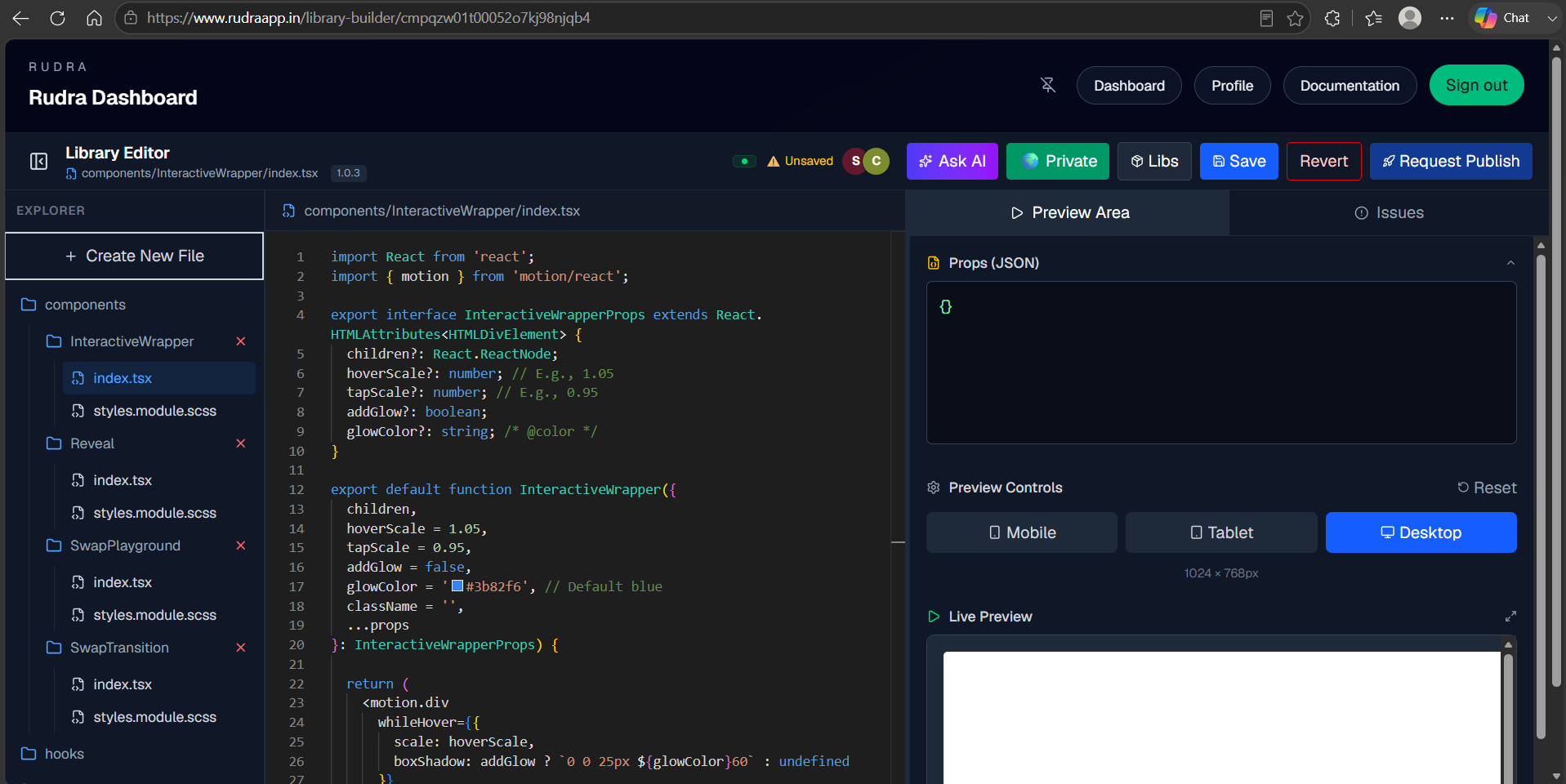
Visualizing the Rudra Library Environment: Where code architecture meets production deployment.
The Handoff Tax
Modern development suffers from the "Handoff Gap." Designers create, engineers build, and then the final product drifts from the original intent. We solve this by treating code as a Deterministic Asset. By enforcing a strict file structure, Rudra bridges the gap between what an engineer writes and what a designer visualizes, ensuring that your production components are always 1:1 with your designs.
Intelligent Scaffolding
We leverage AI not just for code completion, but for Contextual Architecture. Because Rudra understands your project's directory structure, our AI assistant doesn't hallucinate boilerplate—it generates components that strictly adhere to your internal standards, import paths, and design tokens, turning hours of scaffolding into seconds of execution.
Multiplayer Cloud IDE
Rudra provides a browser-native development environment. By removing the need for local 'localhost' environments, your entire team can work on the same component library simultaneously. Every keystroke is propagated in real-time, effectively eliminating Git merge conflicts during UI development.
Public vs. Private Access
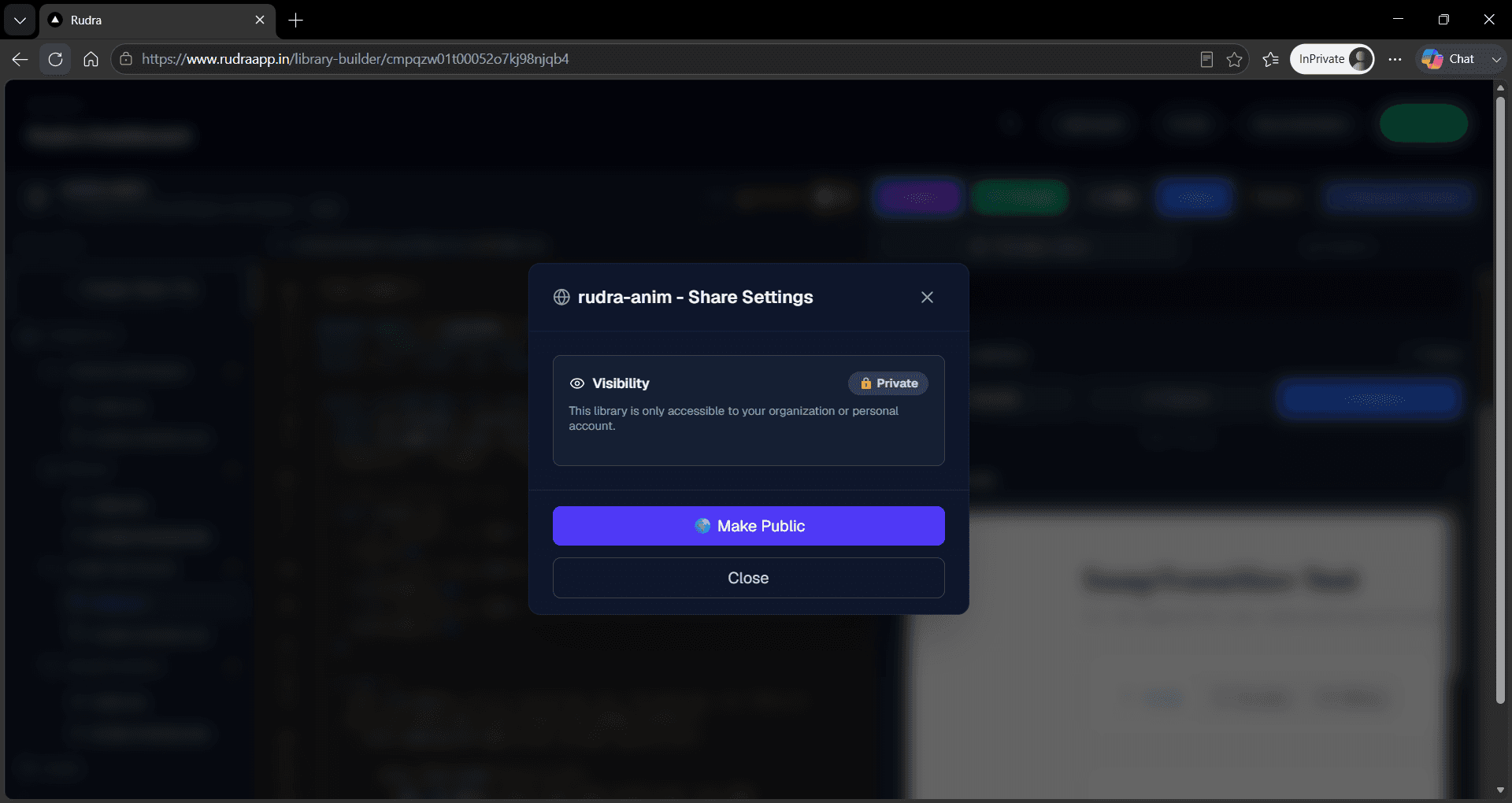
You control the distribution of your code. By default, packages are created as 'Private,' accessible only to your organization. When you're ready to share your expertise, simply toggle the visibility to 'Public'.
Private (Default)
Library is scoped exclusively to your team or agency. Ideal for proprietary UI kits.
Public Marketplace
Publishes your component to the global Rudra ecosystem, making it discoverable for any Rudra user.
Dependency Management
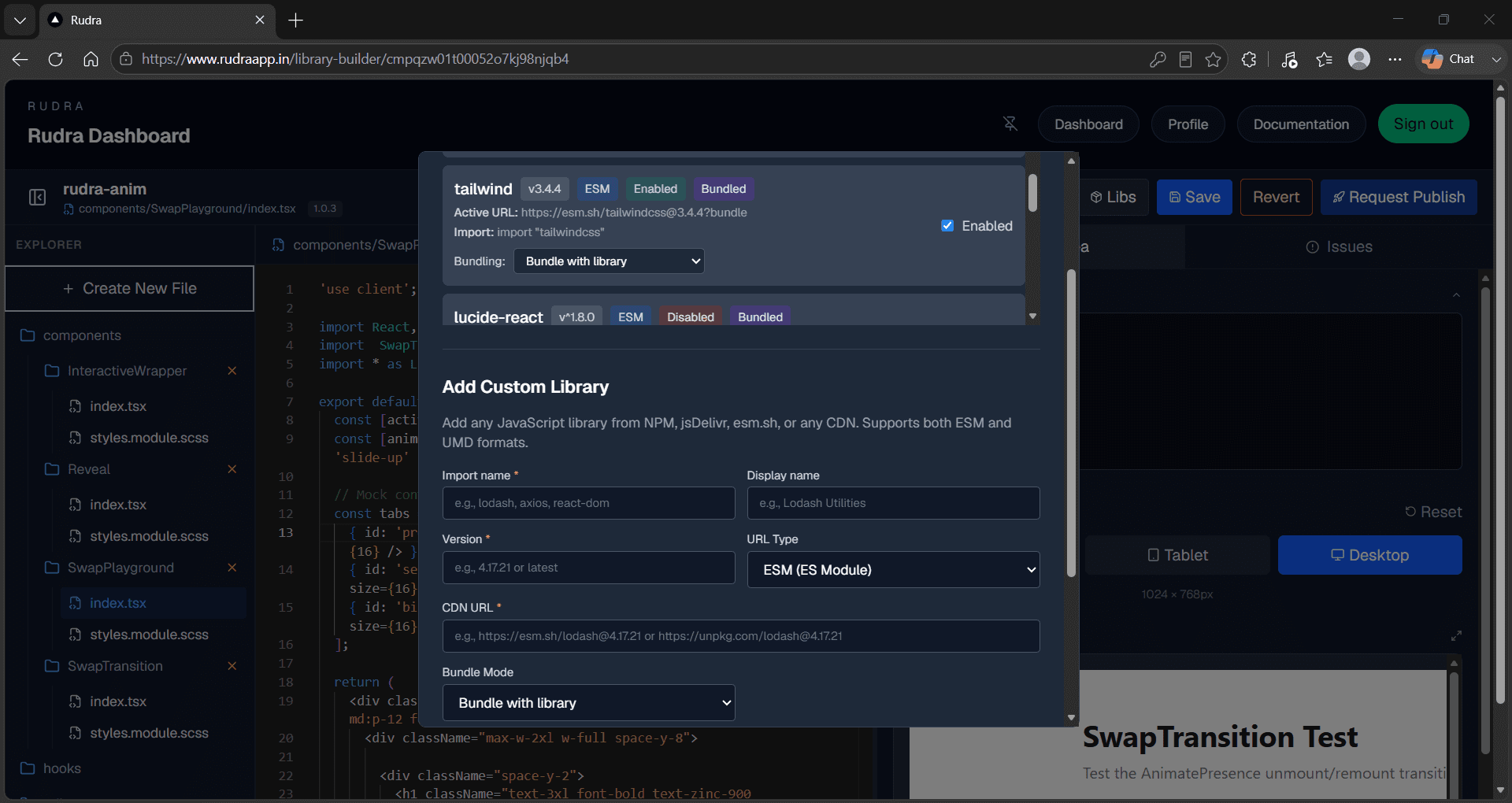
Need a specialized library like Framer Motion, D3.js, or Lodash? Rudra natively supports NPM integration. You define your dependencies in the project manifest, and our orchestration engine handles the resolution, ensuring your components are always lightweight and scoped correctly.
- NPM Support: Pin specific versions of any public package.
- Dependency Isolation: Packages are scoped to your library, preventing global version conflicts.
Build with Ask AI
The 'Ask AI' assistant isn't just a chatbot—it's aware of your entire project structure. It can refactor logic, generate SCSS modules, or create Prop Schemas based on your TypeScript interfaces, allowing you to scaffold complex components in seconds.
"Generate a responsive Hero section with Framer Motion entry animation"
Adaptive Preview Engine
The Preview Panel is your runtime environment. It dynamically adapts based on the file type you are editing. When editing a UI component, it renders the visual element; when editing a utility function, the interface shifts to a 'Functional Flow' mode, allowing you to pass input arguments and view calculated execution results immediately.
- UI Component Mode
Toggle between Mobile, Tablet, and Desktop resolutions to test responsive layouts.
- Functional Flow Mode
Input arguments via the panel and inspect the real-time return data of your utility functions.
Strict Prop Contracts & Decorators
Props act as the contract between the developer and the designer. By defining a Props Schema, you define the 'API' of your component. To make these props visual, we use 'Prop Decorators'—standard TypeScript comments that Rudra parses to auto-generate UI controls.
Don't just write types; add hints to generate UI. Use these tags in your interface comments:
Drafts, Versions & Approvals
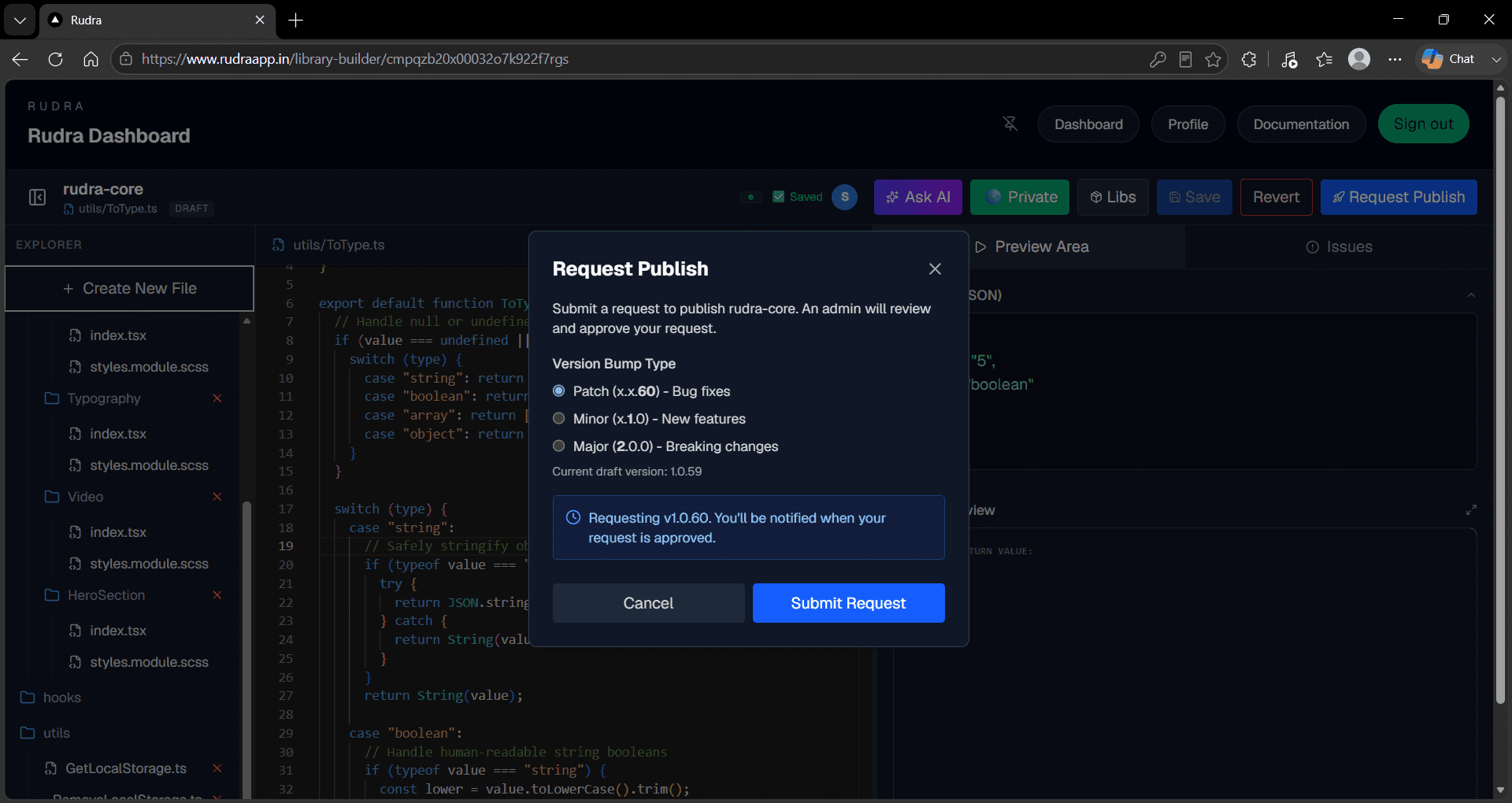
Rudra protects production applications. You cannot randomly push breaking code changes directly to live web applications. We utilize a strict publishing and approval lifecycle.
Saves your work centrally, but it remains isolated from live production applications.
Triggers the release flow. You select the semantic version bump (e.g., v1.0.3 to v1.1.0).
The code enters an approval cycle. Once approved, the version is locked for all Module Canvas users.
Move to Visual Assembly
Your components are now authored, versioned, and published. Let's see how they behave in the visual drag-and-drop workspace.